The only two coop notifications I let reach my phone are door-failed — the door was commanded closed but the contact sensor still reads open after the timeout — and predator-motion, the run camera’s motion zone tripping after dark when nothing should be moving. Everything else is logged to the dashboard, not pushed. The rule is simple: a notification has to mean “go look right now,” or it trains me to ignore the next one.
An alert you learn to swipe away is worse than no alert, because it quietly erodes your trust in all of them. I built my coop notifications around that single principle, and it is why my phone stays quiet until the rare moment it genuinely matters. This is how both alerts work, including how I stop a windy night from burying me in false alarms. They sit on top of the Home Assistant coop automation system and the camera network that feeds them.
The Door-Failed Alert
This is the most important notification in the whole coop, because a door that fails to close is the one failure that costs birds. The logic depends on the door having a separate contact sensor — not the motor’s own status, which only reports the command it received. The automation runs like this: when the close command fires at dusk, wait 90 seconds for the door to travel, then check the contact sensor. If it does not read closed, send a high-priority alert.
Ninety seconds is enough for any door to physically complete its travel; if the sensor still says open after that, something is genuinely wrong — jammed on bedding, frozen on the track, or a dead motor. The command said closed, the sensor proves it did not, and that mismatch is the alert. I make this one a high-priority, sound-on notification that overrides my phone’s do-not-disturb, because dusk is exactly when a fox is testing the run. The door automation and its contact sensor are covered in the sunrise/sunset door offset.
Escalation: Don’t Let One Alert Be the End
A single notification can be missed — phone on silent, in another room, asleep. So the door-failed alert escalates. If I do not acknowledge the first alert within a few minutes, it re-fires, and I can chain a second channel: a louder repeat, a notification to a second device, or a smart speaker announcement in the house. The point is that the one failure that kills birds should not be allowed to fail silently because I happened to miss the first buzz.
This kind of branching “send, wait, re-check, escalate” logic is where a visual flow editor shines over nested automation conditions, which is why I keep my escalation in Node-RED while the simple door schedule stays in native Home Assistant. That split is explained in Node-RED vs Home Assistant for the coop. However you build it, build the escalation — the acknowledgement loop is what turns a notification into a guarantee.
The Predator-Motion Alert
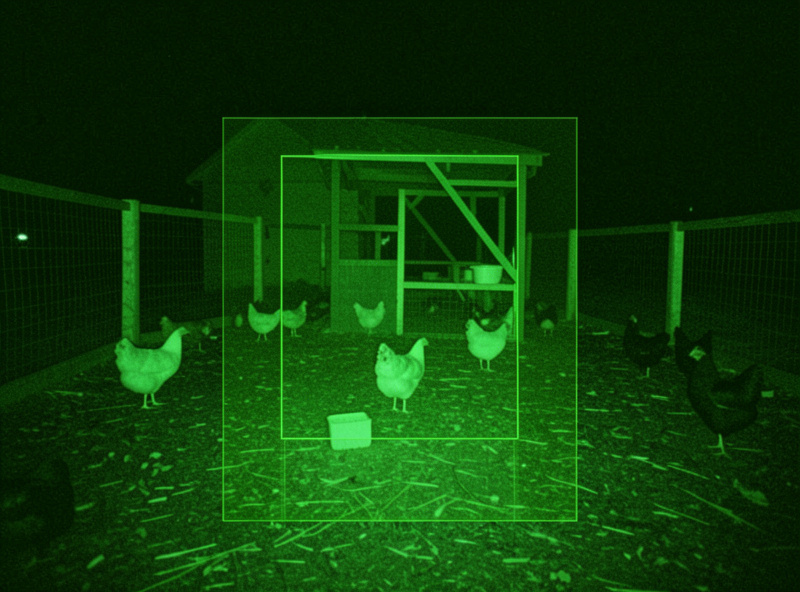
The second alert that earns its place is predator-motion: the run camera detects movement in a defined zone, after dark, when the flock is shut in and nothing should be moving. The craft here is entirely in the conditions, because a naive “alert on any motion” fires every time a leaf blows across the run or the camera’s IR catches a moth, and within a night you have learned to ignore it.
My predator alert is scoped three ways. First, a motion zone — I draw the detection area around the run and the coop base, ignoring the tree line and the sky where birds and branches move. Second, a time window — it only arms after the door has closed for the night, because daytime movement in the run is just my own flock. Third, a cooldown so a genuinely active predator does not fire fifty notifications in two minutes. With those three, a motion alert means something is at the wire, and that is worth waking up for. The camera placement and night-vision quality that make zones reliable are in camera network setup.
Throttling So a Windy Night Doesn’t Bury You
Even a well-scoped motion alert needs throttling, or a storm turns into a hundred buzzes. I use a cooldown timer: once a predator-motion alert fires, the automation holds off re-alerting for a set window unless the motion clearly represents a new, sustained event. Better still, I attach a camera snapshot to the notification so I can judge from my phone whether it is a real threat or wind, without having to open the live feed and squint.
An actionable notification — one with buttons — takes this further: the alert can offer “view live,” “dismiss for an hour,” or “turn on the coop light” right from the lock screen. That turns the notification from a nag into a control surface. The goal throughout is the same: every buzz should be informative and rare, so that when the phone does go off, I trust it completely.
Everything Else Goes to the Dashboard, Not Your Phone
The discipline that makes the two real alerts work is restraint everywhere else. Normal door cycles, routine temperature drift, the heater switching on in the cold — none of that gets pushed. It is all visible on the coop dashboard if I want to look, logged for history, but it does not interrupt me. The phone is reserved for the two things that need action: a door that did not close, and a predator at the run.
There is one borderline case I do push: a heater that reads dead in freezing weather, from the freeze-watch logic, because a dead element on a sub-zero night is genuinely time-critical — the water will freeze and I need to act before it does. That one clears the “go look right now” bar. The temperature creeping up two degrees does not, and keeping that distinction sharp is the whole game.
Delivery: Local Logic, Cloud Only for the Buzz
The notifications go out through the Home Assistant mobile app’s push service, which is the one part of the coop that genuinely uses the internet — the buzz has to reach my phone when I am away from home. But the logic that decides whether to alert runs locally: the contact-sensor check, the motion zone, the time window, the cooldown all live on the Home Assistant box. So even in an internet outage, the door still closes and the local dashboard still shows the truth; only the remote push pauses. That is the right place to depend on the cloud — for convenience, never for the flock’s safety. The full local-first reasoning is in local-only coop automation.
Frequently Asked Questions
Which coop notifications are actually worth sending?
Only two earn a phone alert: door-failed, when the door is commanded closed but a contact sensor still reads open after a timeout, and predator-motion, when the run camera detects movement after dark. Everything else, like routine door cycles and minor temperature drift, belongs on the dashboard, not your phone.
How do I stop coop motion alerts firing constantly?
Scope them three ways: draw a motion zone around the run and ignore the tree line and sky, arm the alert only after the door closes for the night, and add a cooldown so an active predator does not fire dozens of alerts in minutes. Attach a camera snapshot so you can judge the threat from your phone.
How does a door-failed alert know the door did not close?
It checks a separate contact sensor on the door, not the motor’s status. After the close command fires, the automation waits about 90 seconds for the door to travel, then reads the sensor. If it does not report closed, the command and reality disagree, and that mismatch triggers a high-priority alert.
What is an actionable notification for a coop?
A notification with buttons. A predator alert can offer view live, dismiss for an hour, or turn on the coop light right from the lock screen, and a door-failed alert can offer to retry closing. It turns the alert from a nag into a control surface so you can respond without opening the full app.
Should coop alerts override do-not-disturb?
The door-failed alert should, because dusk is when predators test the run and a door that did not close is time-critical. A dead-heater alert in freezing weather should too. Routine notifications should not. Reserving the override for genuinely critical alerts keeps you trusting the ones that break through.
Do coop notifications need the internet?
The push to your phone when you are away uses the internet, but the logic deciding whether to alert runs locally on Home Assistant. So during an outage the door still closes and the local dashboard still shows the truth; only the remote buzz pauses. Safety logic should never depend on the cloud.
Related Guides
Related Guides
Water-Level and Flow Sensors: Knowing the Waterer Is Empty Before They Do
A coop water-level sensor tells you the drinker is going dry — or freezing solid — before the flock does,…
Ammonia Sensors for the Coop: Catching Air Problems Before You Smell Them
An ammonia sensor belongs at the birds’ breathing height, close to the litter where the gas is generated, because that…
Node-RED vs Home Assistant Automations for the Coop: When to Use Which
Use native Home Assistant automations for the coop’s simple, safety-critical rules — the sunrise door, the freeze-watch waterer — and…