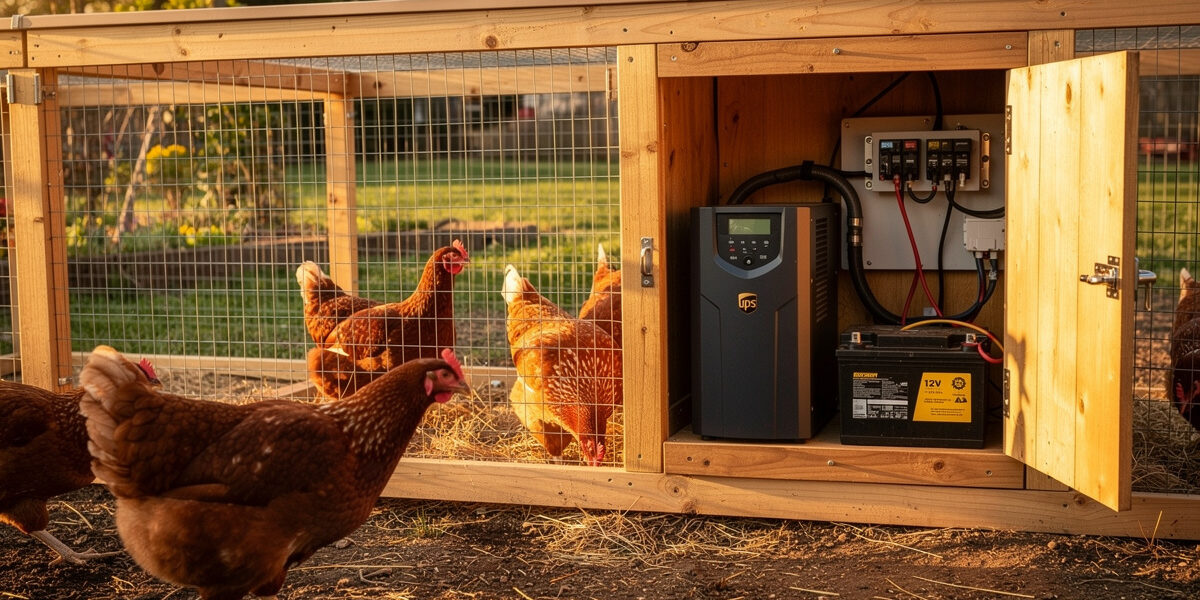
Chicken coop battery backup for grid-tied smart coops keeps the auto door, monitoring, and sensors running through 4–24 hours of power outage on a $80–$300 UPS or 12V battery setup. The trick is choosing what to back up — most coop devices need the protection, but not the heated waterer or the heat lamp, which would drain any reasonable battery in under an hour. The setup I run on my own coop is a 12V LiFePO4 bank on the door, sensor hub, and one camera, and I skip the heated waterer entirely — same call this guide makes below.
This guide covers UPS sizing, battery selection, automatic transfer, and what to skip. For coops without grid power at all, see our off-grid smart chicken coop guide. For overall build context, see the complete smart chicken coop guide.
What Should and Should Not Be Backed Up
Not every coop device needs battery backup. Sort them into three buckets:
| Tier | Devices | Backup Need |
|---|---|---|
| Critical | Auto door, sensor hub, basic alert path (cellular or WiFi to reach you) | Yes — must run through any outage |
| Important | WiFi camera, primary lighting, ventilation fan | Yes — first 4–8 hours of outage |
| Skip | Heated waterer, heat lamp, heavy ventilation fans, AC accessories | No — too much load, low risk in short outages |
The auto door is the only “must-have” — it determines whether chickens are safe overnight. Everything else is convenience. Backing up only critical + important devices keeps battery sizing reasonable.
Sizing the Battery Backup
For a typical critical + important load (auto door + sensor hub + 1 camera + minor LED): roughly 8–12 watts continuous, plus 2–3 brief auto-door cycles per outage. Daily Wh load if the outage lasts 24 hours: 240–340 Wh.
Two paths to that capacity:
- Off-the-shelf UPS — easy plug-and-play, but most consumer UPS units are designed for short PC backup (5–15 minutes) and use AGM batteries with limited cycle life. Acceptable for occasional 1–4 hour outages.
- 12V deep-cycle battery + smart switch — more setup but proper deep-cycle service. The right choice if you have multi-hour outages 2+ times per year.
Path 1: Off-the-Shelf UPS
For homes with rare, short outages (under 4 hours), a 600–1000 VA UPS works:
| UPS Size | Runtime at 10W | Runtime at 30W | Cost |
|---|---|---|---|
| 500 VA / 300W | ~4 hours | ~80 minutes | $80–$120 |
| 1000 VA / 600W | ~8 hours | ~3 hours | $140–$200 |
| 1500 VA / 900W | ~12 hours | ~4 hours | $200–$300 |
Plug the AC-to-DC power supply for the coop into the UPS, plug the UPS into the wall outlet that feeds the coop. When power drops, the UPS keeps the supply running, the supply keeps the 12V loop running, and the coop stays online for the rated runtime.
Note: consumer UPS battery life is typically 3–5 years, often shorter in coop-adjacent locations with temperature swings. Plan to replace the internal battery at year 3 ($30–$60).
Path 2: 12V Deep-Cycle with Smart Switch
For multi-hour or frequent outages, the better setup uses a deep-cycle battery and an automatic transfer relay:
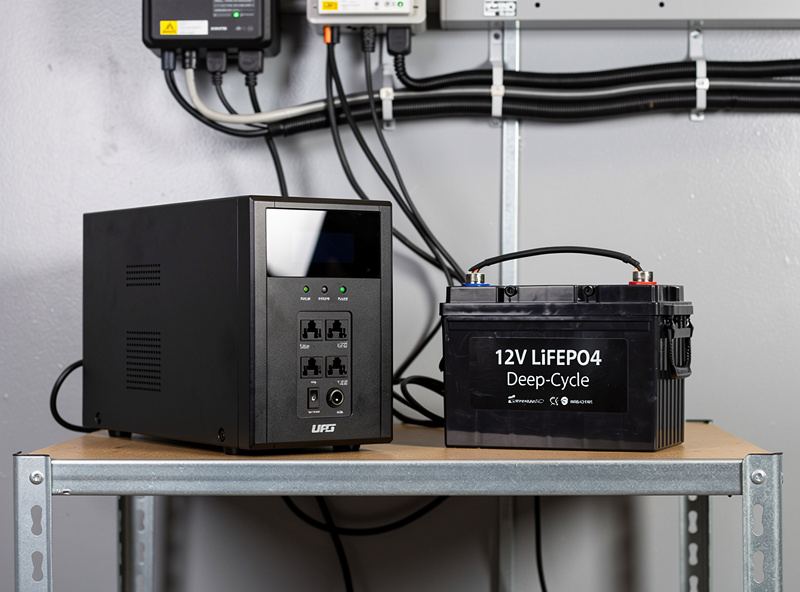
- 12V LiFePO4 50–100 Ah battery — same battery type as our off-grid setup. $180–$380.
- 13.8V trickle charger — keeps the battery topped up during normal grid operation. $30–$50.
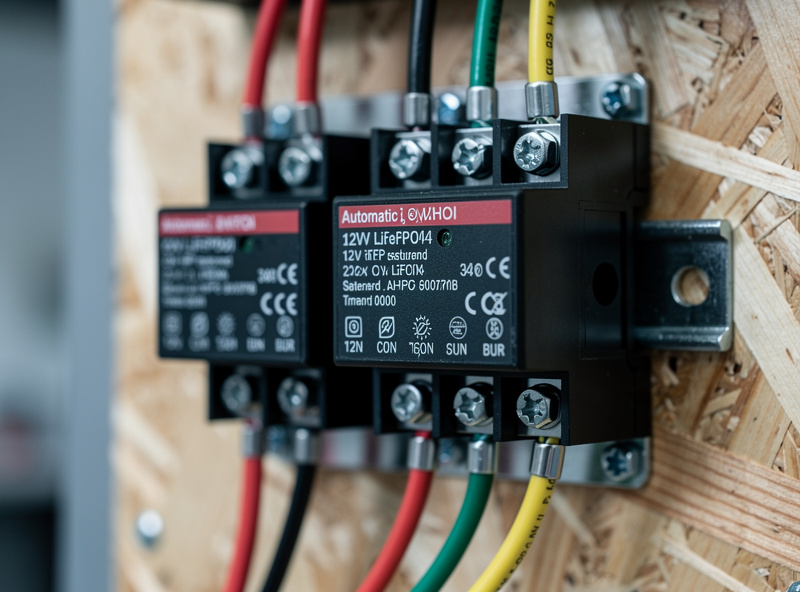
- Automatic transfer relay (ATR) — switches the 12V loop from the AC-powered supply to the battery when grid drops. $25–$60.
This setup delivers 24–72 hours of runtime on critical loads at $235–$490 total. Battery life: 8–12 years for LiFePO4 vs 3–5 for UPS internal AGM — LiFePO4’s much deeper usable cycle life is the whole reason for the higher upfront cost (Epoch Batteries’ cycle-life breakdown). I switched my coop over to a 12V LiFePO4 bank after a UPS internal battery went flat halfway through a two-day winter storm outage — the LiFePO4 setup hasn’t blinked since.
Wiring the Backup Battery
The wiring approach depends on which path you choose:
UPS-Based Wiring
The simplest possible setup:
- UPS plugs into the coop’s wall outlet (the one fed by your main coop branch circuit).
- Coop’s 12V AC-to-DC power supply plugs into the UPS battery-backed outlets.
- Heated waterer or heat lamp plugs into UPS surge-only outlets (NOT battery-backed).
The coop’s existing fuse block, distribution, and 12V loop need no changes. The UPS handles the AC-to-AC switching invisibly.
12V Deep-Cycle Wiring
Slightly more involved but bulletproof:
- Battery sits inside the coop’s automation enclosure, kept above freezing by either an integrated heater or proximity to the coop interior.
- Trickle charger feeds the battery from the AC-to-DC power supply when grid is up.
- Automatic transfer relay sits between the power supply and the distribution block, defaulting to AC supply, switching to battery when AC drops.
- Distribution block feeds all 12V devices unchanged.
The relay handles the switch in milliseconds — fast enough that even sensitive devices do not glitch. A simple voltage-sensing relay (Anchor BV04, Blue Sea ML-ACR) handles this cleanly.
Auto Door Battery: A Special Case
Many automatic doors come with their own internal battery (AA, D-cell, or proprietary lithium). This is essentially a “redundant backup of last resort” — the door runs for 6–18 months on its own batteries even with no other power source.
For most setups, this means the auto door specifically does not need to be on the UPS or 12V backup loop — its internal battery covers it. The backup is for the camera, sensor hub, and lighting, which have no internal batteries.
Across the auto-doors I’ve run head-to-head — Run-Chicken, ChickenGuard, and the Omlet Autodoor — the internal battery genuinely does buy months, not days, on standby power alone. But I still test all of them every fall before the first hard freeze, because the one year I skipped it was the year a door with a “good” battery on paper failed to cycle mid-storm. Test the door’s internal battery once a year (covered in our maintenance guide). A weak internal battery during a multi-day outage is the single most common backup failure point.
Cellular Backup for Connectivity
Power backup keeps devices running. But during a power outage, your home internet often drops too — meaning all the alerts and remote monitoring stop working anyway. To keep the coop reachable during outages:
- 4G/LTE cellular router on the UPS — provides internet to the coop’s WiFi node when home internet drops. $90–$200 hardware + $8–$15/month data plan.
- Mesh node with cellular failover — newer mesh systems (Eero with Nighthawk, etc.) have integrated cellular. Eliminates the separate router.
- Cellular sensors (LTE-M) — sensors with their own SIM, independent of WiFi entirely. Best for very critical setups, $30–$50/year per sensor in service fees.
For most homeowners with reliable home internet and rare outages, cellular backup is overkill. For vacation homes or critical setups, it is non-negotiable. See our chicken coop WiFi guide for more on cellular options.
Cost vs Runtime Comparison
| Setup | Critical-Load Runtime | Total Cost | Replacement Cycle |
|---|---|---|---|
| Door internal battery only | 6–18 months (door only) | $0 (already in door) | Annual battery swap |
| 500 VA UPS | 4 hours | $80–$120 | 3–5 years |
| 1000 VA UPS | 8 hours | $140–$200 | 3–5 years |
| 50Ah LiFePO4 + ATR | 24–48 hours | $235–$390 | 8–12 years |
| 100Ah LiFePO4 + ATR | 48–72 hours | $340–$490 | 8–12 years |
Total cost of ownership over 10 years favors the LiFePO4 approach by 30–50% because UPS internal batteries need 2–3 replacements vs LiFePO4’s single battery for the same period.
Common Battery Backup Mistakes
- Backing up the heated waterer. A 40W heated waterer drains a 1000 VA UPS in 80 minutes. Skip it; chickens drink cold water fine for short periods.
- Buying a UPS rated for “1500 VA” thinking it means 1500 watts. VA and watts are different — the watts rating is what matters for runtime calculation, and for small consumer UPS units it’s typically around 60% of the VA number (Power Solutions’ UPS sizing explainer walks through the math). I size every backup off the watts number now, never the VA number on the box.
- Storing the UPS on the coop floor. Cold air drops UPS battery life dramatically. Mount the UPS or battery on a wall, 12+ inches above the floor.
- No annual test. Backup batteries silently degrade. Run an annual outage simulation: pull the wall plug for 30 seconds and verify the coop stays online with no glitches. I’ve got Home Assistant sending a push notification the moment the transfer relay kicks the coop onto battery — that’s the only reason I caught a failed trickle charger before it mattered instead of finding out a week later.
- Skipping the cellular backup for critical setups. Power backup means little if you cannot get an alert when something goes wrong.
Outage Frequency and Sizing Decision
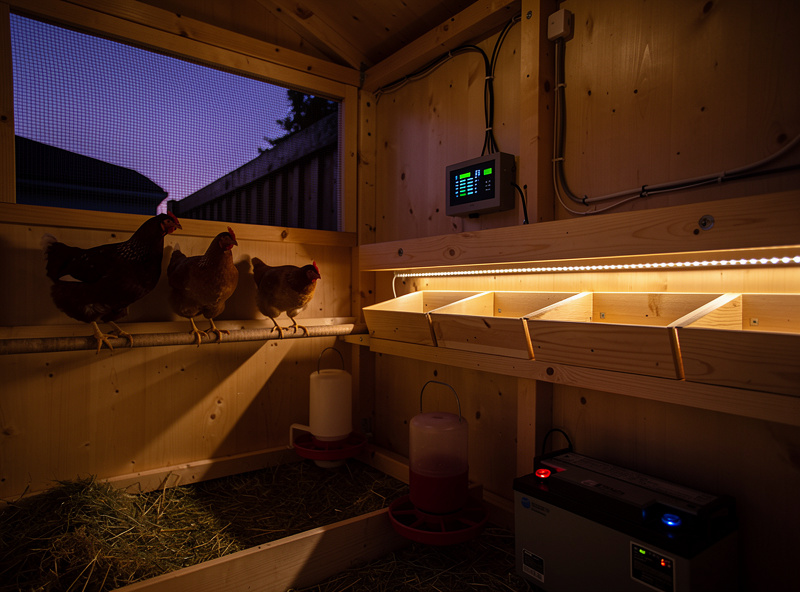
Match the backup approach to your local outage profile:
| Your Outages | Recommended Backup |
|---|---|
| Rare, under 1 hour | Door internal battery only — skip UPS |
| Occasional, 1–4 hours | 500–1000 VA UPS |
| Multiple per year, 4–8 hours | 1500 VA UPS or 50Ah LiFePO4 |
| Multi-day weather events | 100Ah LiFePO4 + ATR + cellular backup |
| Frequent / critical setup | Full off-grid solar (see our off-grid guide) |
The right answer for most suburban homes is the 500–1000 VA UPS — covers 90% of outages, easy to install, $100–$200 total. Upgrade to LiFePO4 if you have a known weak grid or live in a hurricane/winter-storm region.
Frequently Asked Questions
How long should a chicken coop battery backup last?
Aim for at least one full overnight cycle (12 hours) of critical-load runtime. A 1000 VA UPS delivers about 8 hours at typical smart coop loads (10–15W). A 50Ah LiFePO4 battery setup delivers 24–48 hours. Match the runtime to your local outage frequency.
Do I need a UPS for a smart chicken coop?
Yes if you have grid-tied automation and experience occasional outages. The auto door, sensor hub, and camera all stop working when power drops, leaving the coop unmonitored. A $100 UPS covers 90% of typical residential outages.
Can I use a regular UPS for my chicken coop?
Yes, a standard PC-style UPS works fine if it is mounted indoors or in a weatherproof enclosure inside the coop. Avoid placing it on the cold floor — wall-mounted at 12+ inches off the floor preserves battery life. Plan to replace the internal battery every 3–5 years.
What is the difference between battery backup and off-grid solar?
Battery backup is grid-tied — your home power feeds the coop normally and the battery covers outages. Off-grid solar is fully independent — solar panels and a larger battery handle 100% of the load with no grid connection. Backup costs $100–$400; off-grid costs $400–$1,000+.
Should I back up the heated waterer with my UPS?
No. A 40W heated waterer drains even a 1500 VA UPS in under 2 hours. Plug heated devices into surge-only outlets, not battery-backed outlets. Chickens drink cold water fine for short outages — focus your battery on the auto door, sensors, and camera.
How do I test if my chicken coop battery backup works?
Once a year, pull the wall plug feeding the coop for 30 seconds. Verify the coop stays online with no device disconnects, lights flicker, or sensor offline alerts. If anything drops, the backup is undersized or the battery is degraded — replace before the next outage.
Related Articles
Related Guides
Water-Level and Flow Sensors: Knowing the Waterer Is Empty Before They Do
A coop water-level sensor tells you the drinker is going dry — or freezing solid — before the flock does,…
Ammonia Sensors for the Coop: Catching Air Problems Before You Smell Them
An ammonia sensor belongs at the birds’ breathing height, close to the litter where the gas is generated, because that…

Node-RED vs Home Assistant Automations for the Coop: When to Use Which
Use native Home Assistant automations for the coop’s simple, safety-critical rules — the sunrise door, the freeze-watch waterer — and…